Your parent's wishes,
Ready when the family needs them. LifeWishGuardian lets a parent record healthcare wishes on video, and share that recording with the people who would have to decide. If you are recording for yourself, it is your voice, kept for the people you love.
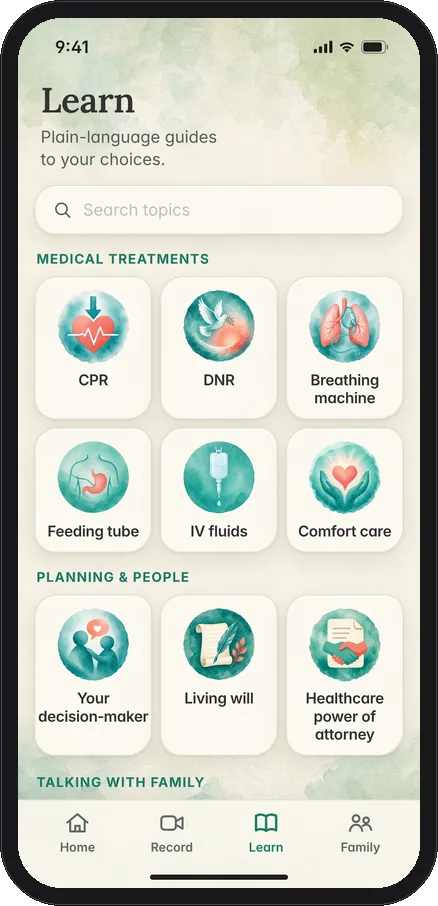
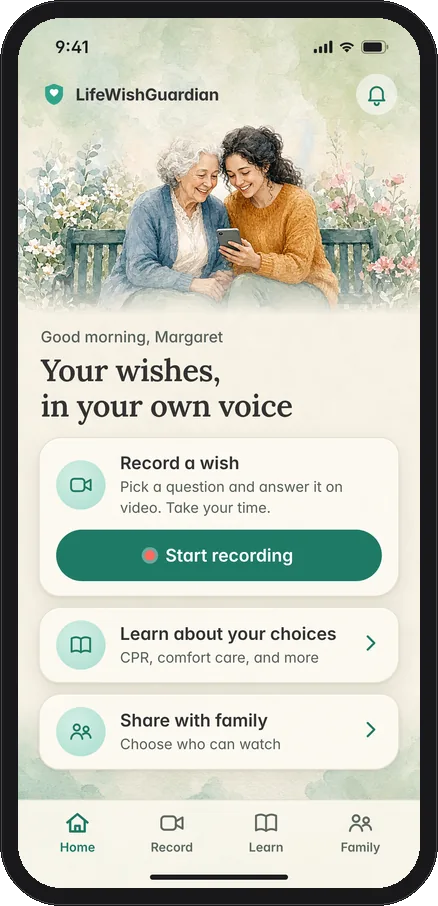
Inside the app
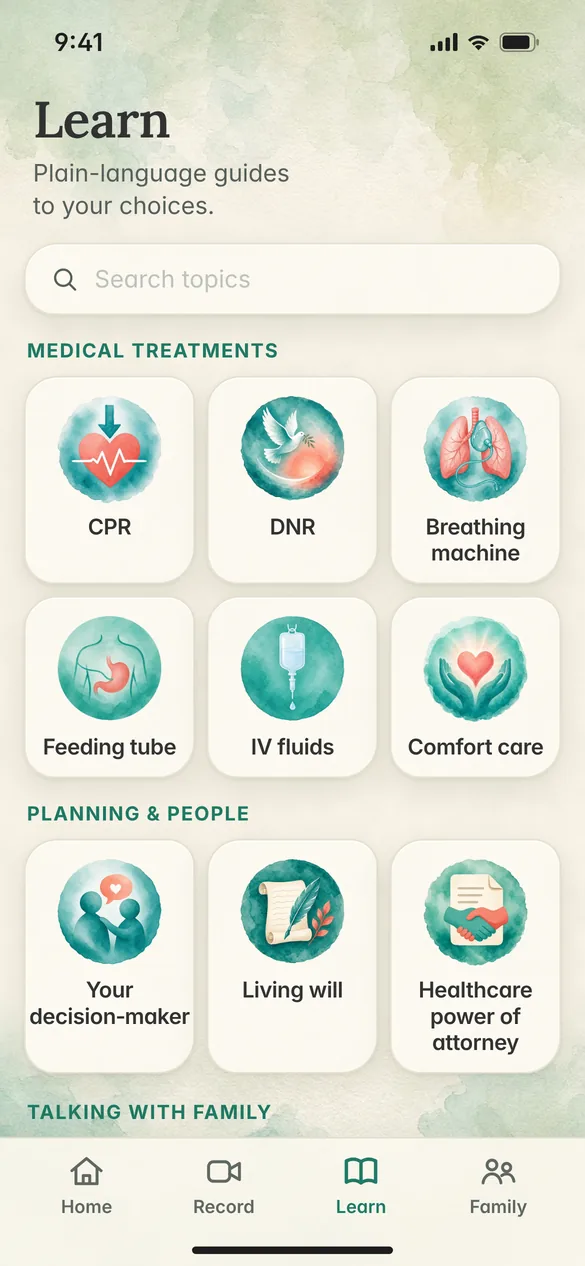
Learn about your choices
Short, plain-language guides explain CPR, breathing machines, comfort care and more, so you know what each choice means before you record.
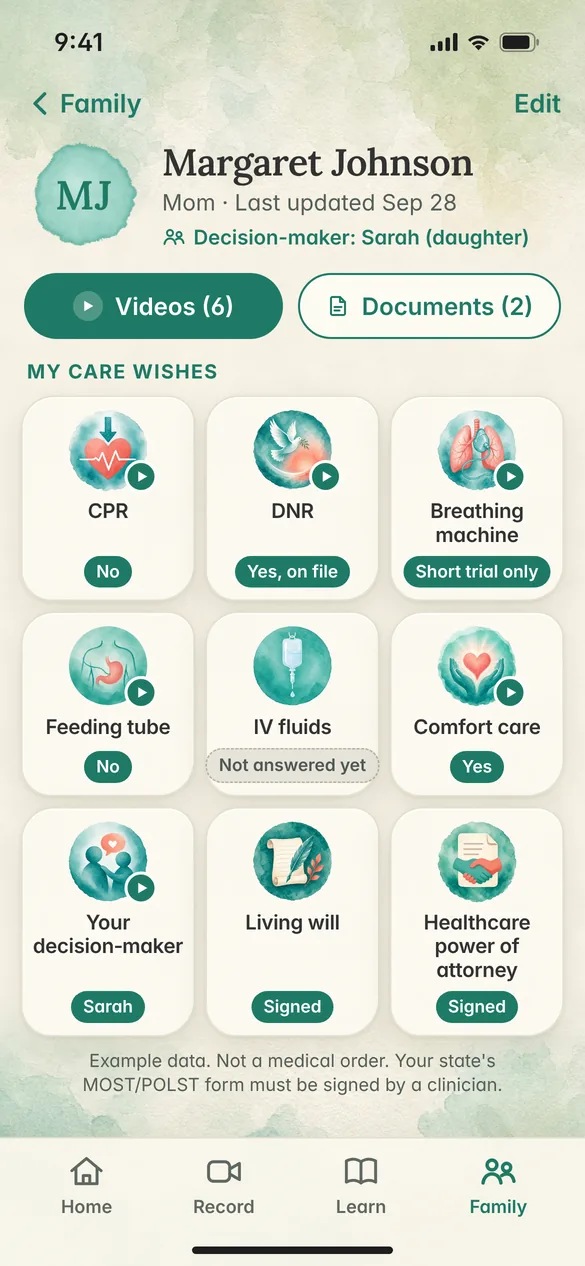
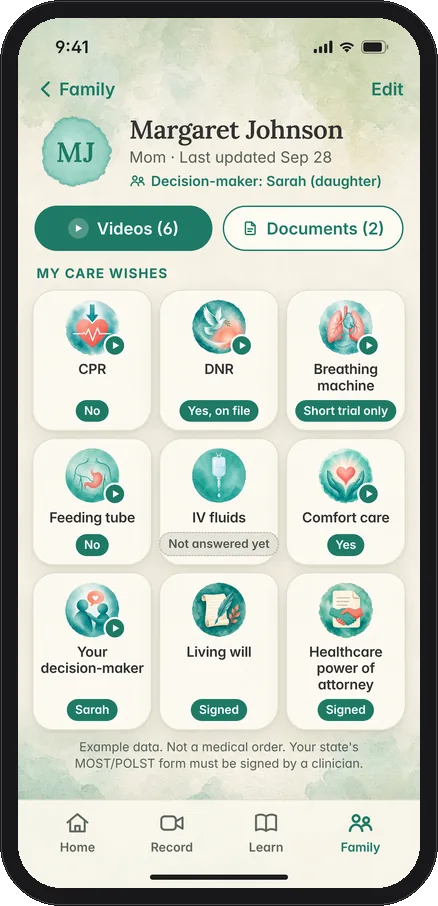
See their wishes at a glance
One page shows each care wish, who makes decisions, and which answers have a video, so family and the care team can find them quickly.
Example data. Not a medical order. Your state's MOST/POLST form must be signed by a clinician.
A short video, ready when you need it
A parent records what they want for their care. Later, the family can hear it in their voice. If they would rather not start alone, you can invite them by email. They record in their own words, and the wishes stay theirs.
- Step 1
Record an answer
Pick a subject, speak on video, and save it securely. You can retake it until it sounds like you.
- Step 2
Or sit down together
In interview mode, an adult child holds the phone and asks. A parent answers on camera.
- Step 3
Share it with people you choose
Family members and the care team you pick can watch. A saved video stays private until you share it.
Hold the phone. Let them talk.
Many of these conversations happen at the kitchen table. You hold the phone so the back camera faces your parent. Suggested questions appear on your side of the screen, and you ask them out loud. The saved video shows your parent. Your question stays in the audio, so the answer still makes sense later.
If you want the words on the picture too, you can turn on a caption for each question. That option is off by default, so the video stays clean.
Their words stay with the people they choose
Only people you share with
You choose the family members and the care team. No one else can watch a video until you share it.
Saved securely
The recording is stored so it is there when the family needs it, and it stays private until you decide otherwise.
Alongside a legal directive
A video complements a legal advance directive. The directive is still the legal document. The video is how the family hears what someone meant, in their own voice. Free living will and health care power of attorney forms by state are listed separately.
Understand your choices
Seven short videos about common care decisions, in everyday words a family can watch together.
Our approach
A calm place to start, so a family can talk about care before a hard day arrives.
Heart and CPR
What it means to try to restart a heart, in words you can share before you have to decide.
Breathing machines
How a machine can help someone breathe, and what that can look like for a person you love.
Feeding tubes and IV fluids
A plain look at tubes and IV fluids, so you can talk about comfort as well as treatment.
Comfort care and who decides
How comfort comes first near the end, and who can speak when a loved one cannot.
Living wills
A written way to say what care you would want, so the people you love are not left guessing.
Healthcare power of attorney
Name the person who can speak for you, so your family knows who decides when you cannot.
These videos are educational and not medical or legal advice. Talk with your doctor or care team about your own situation.

Questions are easier with a guide
Plain-language guides from Richard, a nurse practitioner (NP) and experienced critical care nurse. Each topic in the app explains your choices in plain, everyday words.
Hear them, when it matters
Record a wish on iPhone today. Android is on the way.
Write to us
A question about recording a wish, or about sharing it with family. We read every note.
Loading the form…
Are you a hospice or health plan?
LifeWishGuardian can be branded for the families you serve.
For organizationsQuestions families ask
A few answers about recording healthcare wishes on video, and who gets to watch.
Is this a legal document?
No. A video in LifeWishGuardian complements a legal advance directive. It does not replace one. The video is how your family hears what you want, in your own voice. For paperwork a hospital or court will rely on, use the advance directive process where you live.
Who can see my videos?
Only people you share them with. You choose the family members and the care team. A saved video stays private until you share it.
Can I re-record or update later?
Yes. You can retake a video, or record a new answer, whenever your wishes change. Save the version you want your family to have.
Can the question appear on the video?
Only if you turn it on. In interview mode, each question can show as a caption on the saved video. The option is off by default, so the picture stays clean.
Can I record on my own?
Yes. Open the app, choose what you want to talk about, and record a short answer. One question is enough. The video stays private until you share it.
Can I sit down with a parent and ask the questions?
Yes. Interview mode is in the App Store now. An adult child holds the phone, reads the prompts, and the back camera films the parent. A parent answers on camera, in their own words.